
2 PARTS NCR FORMS
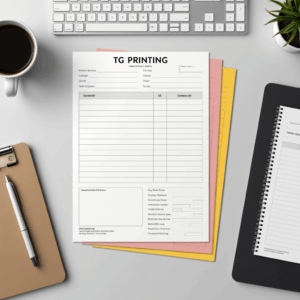
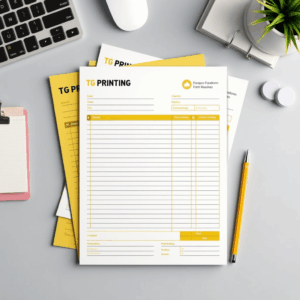
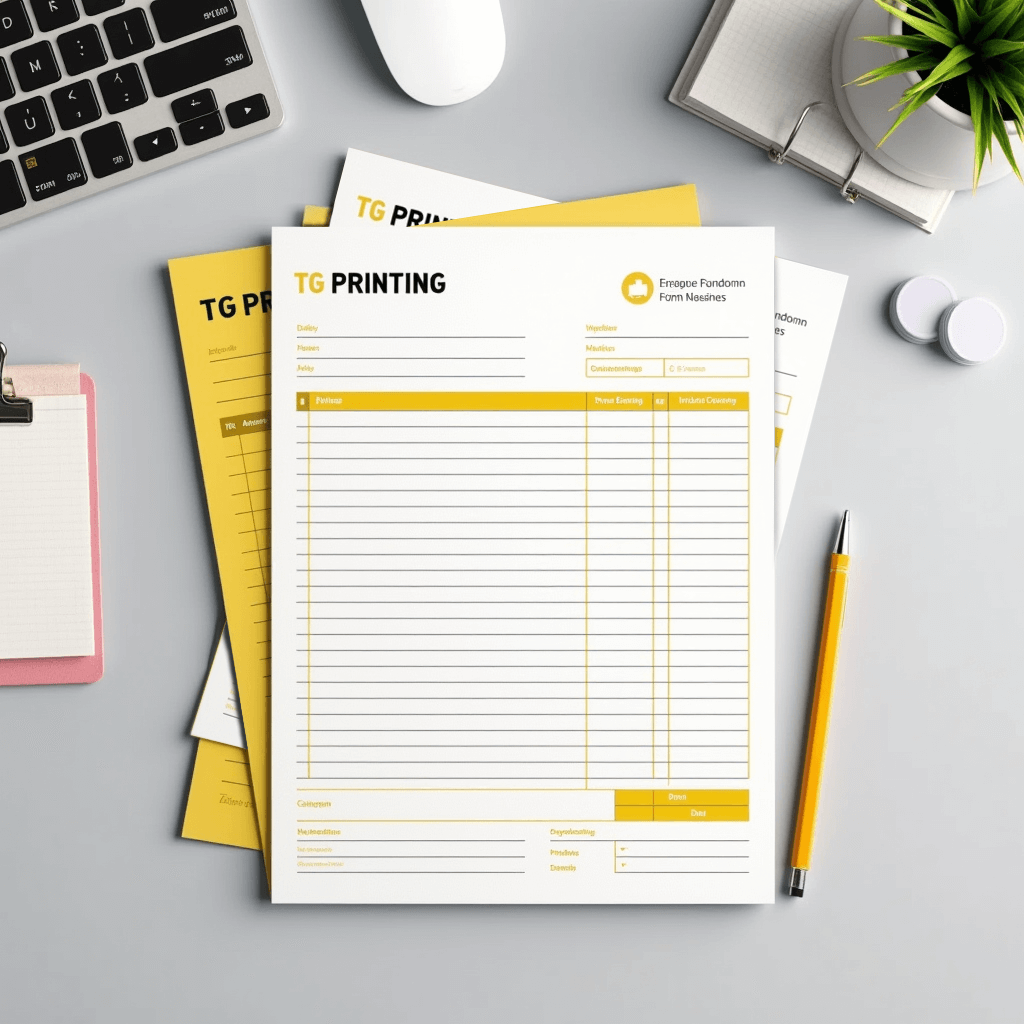
Keep your business organized and your records accurate with 2-Part NCR (No Carbon Required) Forms. These multi-copy forms are perfect for invoices, receipts, work orders, contracts, delivery forms, and more — giving you an instant duplicate copy without the mess of carbon paper.
Each set includes a top white sheet and a yellow duplicate sheet, making it easy to retain a copy for your records while providing one to your customer or client. Printed on high-quality, pressure-sensitive paper, 2-part forms are fully customizable with your logo, contact information, and form layout.
Whether you’re in retail, service, logistics, or fieldwork, 2-Part NCR Forms are a practical, professional tool for everyday transactions and documentation.
FAQ
1. What are NCR Forms?
NCR Forms are the modern alternative to carbon paper and are an efficient way to provide multicolored copies of a single document with handwritten or typed information. Use them as order forms, packing lists, invoices, receipts, and more.
They’re available in 2 Part (White, Yellow) and 3 Part (White, Yellow, Pink) collated sets that are glued on the short edge. NCR Forms are printed on 20LB stock on high tech digital equipment.
2. Do the NCR form come collated? Are they glued in sets?
Yes, NCR forms come collated in 2 Part or 3 Part sets. They come in 2 Part (White, Yellow) and 3 Part (White, Yellow, Pink) forms and are glued on the short edge.
3. Can you imprint on NCR forms using standard desktop printers?
Our NCR forms can be imprinted on variety of equipment, but we recommend you test your specific application.
4. Are NCR Forms printed in full color on each sheet or is the print black ink only?
NCR Forms are available with full color (CMYK) print on each sheet or as one color, 1/0 (K) . We only accept one artwork file which will be printed on all parts of the NCR Form.
* The (K) means black ink only. Files not submitted as grayscale will be converted to grayscale and the conversion might result in print issues.
5. What are NCR forms used for?
6. What are the file requirements for NCR Forms? Can I have full bleed?
* Full bleed is not available on NCR Forms
* At least 0.25″ of space on the glued edge (short edge) should be free of ink
* Full color and solid colored backgrounds are not recommended, as it may effect your ability to read the text and write on the form
* Light ink coverage is highly recommended
7. Will I be able to see a sample or proof of the numbering on my artwork before my order is printed?
8. What font, size and color will be used for the Variable Numbering portion?
The default font for the Variable Numbering portion is 14pt Calibri, black ink only. Black ink for the numbering should be taken into consideration when designing your artwork file. If your background images are dark, you may need to KO (knock out) the background image in the numbering areas, so that the numbers are visible.
Note: The CSV data file may contain up to 5 digits or characters for each record.
9. What types of files can I upload for NCR Forms with Variable Numbering?
Artwork file formats: We recommend pdf. You may also send the following types: jpg.
Data file format: We accept csv (comma delimited) format only.
Note: The CSV data file may contain up to 5 digits or characters for each record.
10. How do I indicate what areas of the NCR Forms I want numbered and how do I set up my CSV Data File?
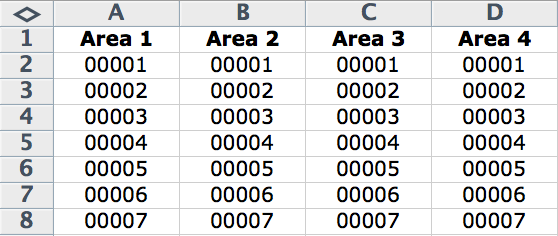
Choose from the 4 numbered areas shown in the example below. You may choose as few or as many areas as you like. Indicate which areas you would like to utilize by naming the Column Headers on your CSV Data File with the corresponding Area Name.

Note: The CSV data file may contain up to 5 digits or characters for each record. See example below.
11. Will TG_PRINTING modify my CSV Data File to correct any errors or typos?
12. What if my CSV Data File has less records than the run size I ordered?
13. What if my CSV Data File has more records than the run size I ordered?
14. How do I prepare a CSV data file with leading zeros, for example I want my starting number to 00001?
In order to preserve leading zeroes on your Variable Number CSV file (e.g. 001, 0001) please Format the Cells as Text before creating your numbered list.
To include leading zeros: Right-click (or control click) on the first few cells, then Choose Format Cells >, Text or Plain Text. Once your cells are formatted, proceed with creating your numbered list. You should be able to see your numbering correctly before saving your document.
Note: If you close and reopen your document or look at a preview of the document, it will appear that the CSV has reverted and your leading zeroes were deleted. However, be assured that is not the case. As long as you were able to see the leading zeros at the time you saved the document, your CSV has the leading zeros. It is safe to upload your CSV and your leading zeroes will be preserved.
FAQ
1. How should I set my file up for this product?
A standard bleed requirement of 0.125′ is needed for this product.
Your artwork files should be at 300 dpi resolution.
Your designs should be in CMYK color mode.
for fine lines and texts use black (100% K) only